In 2025, when streaming platforms continue to dominate the way people consume movies, shows, music, and even software, it might seem like Peer-to-Peer protocols are something from a bygone era.
But anyone who still uses torrents for Linux distributions, open-source software, large data sets, media files or personal archives knows that P2P is very much alive.
And if you’re using qBittorrent, one of the best open-source torrent clients out there, you may also know the convenience of sending links directly to your client via a browser extension.
There has long been a Firefox add-on for this called Send to qBittorrent, originally created by frogmech. It’s simple, effective, and very lightweight. But it had one limitation… A limitation that eventually nudged me into forking it.
The Problem: One Save Path just Isn’t enough
When you use qBittorrent for multiple categories or different types of downloads, you quickly run into the issue of needing multiple save paths.
For example:
- Kali Linux ISOs →
/mnt/distro/Kali - Ubuntu ISOs →
/mnt/distro/Ubuntu - Movies →
/mnt/Movies - Series→
/mnt/Series
The original add-on is missing this option, all download are saved to default path.
So I found myself constantly switching it in the configuration or manually moving files afterward—something that definitely defeats the purpose of automation.
After a while the solution became obvious:Fork the add-on and expand it.
Introducing: Send to qBittorrent (with SavePaths)
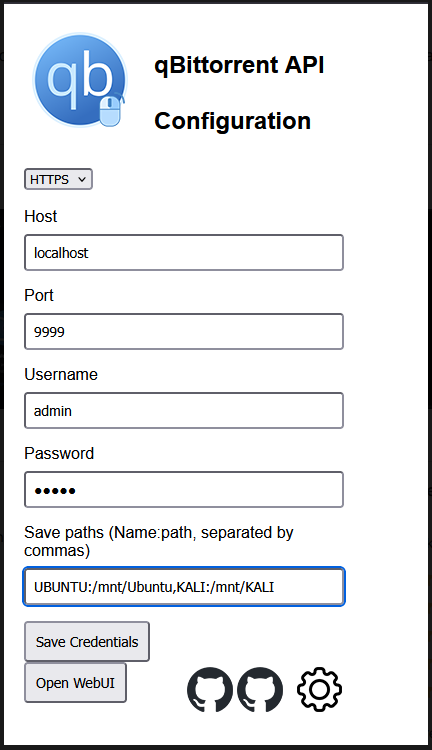
This extension is a fork of the original “Send to qBittorrent,” but with one major improvement: You can now define multiple save paths in the configuration, and they appear dynamically in the context menu.This is one of those improvements that feels tiny, but saves many clicks each day
You can install Send to qBittorrent (with SavePaths) from the official Mozilla Add-ons site:
https://addons.mozilla.org/en-US/firefox/addon/send-to-qbittorrent-savepaths/
If you find it useful, feel free to leave feedback, suggestion, or contribute.
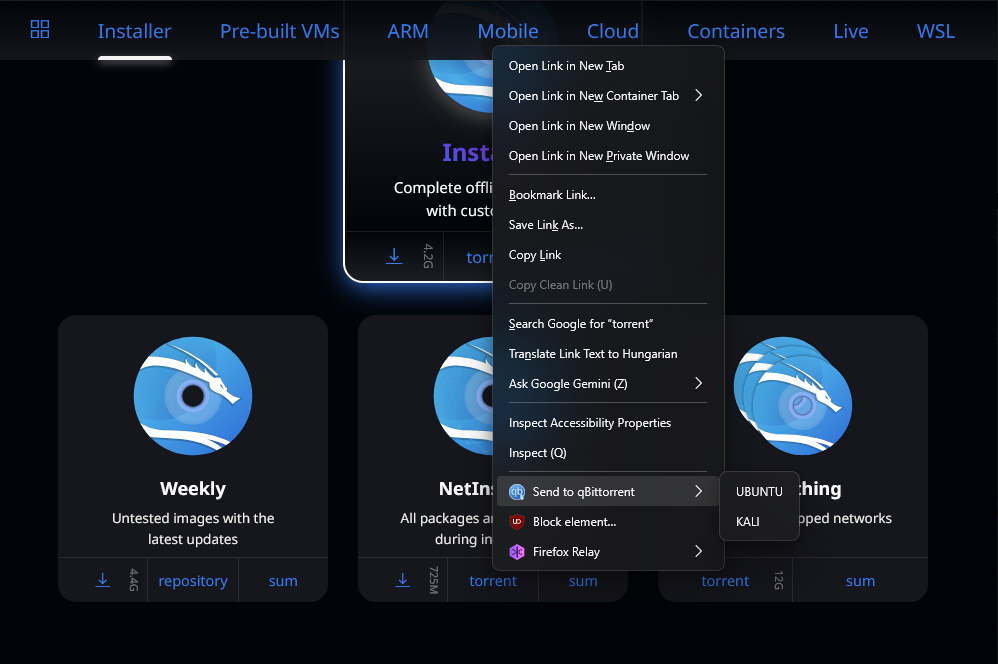
Right click on a torrent link, choose one location from context menu, and the add-on sends the torrent directly to the matching save path via qBittorrent’s API. Simple. Efficient. Clean.
This small change can dramatically improves workflow for anyone who downloads organizationally—Linux users, archivists, seedbox users, home server hobbyists, and pretty much any power-user with a clean file structure.
Thanks to frogmech for original code.